





Cattura schermo: monitoraggio e fiducia
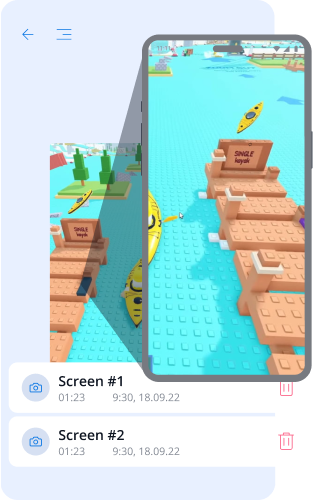
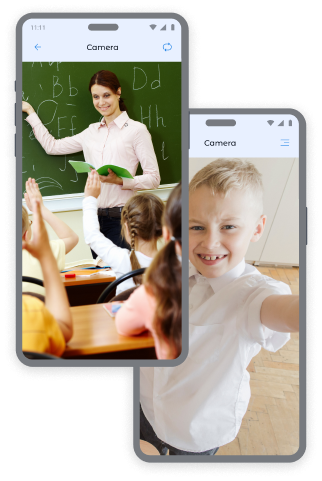
Foto dalle fotocamere del telefono del bambino: controllo e sicurezza
Ricevi foto istantanee dalla fotocamera anteriore e fotocamera posteriore del dispositivo per sapere sempre dove si trova tuo figlio e in quale ambiente si trova.
Foto dalla Fotocamera Anteriore:
- Determinazione della posizione del bambino e del suo stato emotivo.
- Verifica della sicurezza del bambino in luoghi pubblici.
- Ottenere contesto in situazioni insolite.
Foto dalla Fotocamera Posteriore:
- Visione dell'ambiente circostante del bambino.
- Verifica della sicurezza durante la permanenza a casa, a scuola o con gli amici.
- Ottenimento di informazioni visive nei casi in cui il bambino non risponde alle chiamate.
Vuoi più schermate? Puoi acquistare pacchetti aggiuntivi nella pagina dei prezzi, per essere ancora più tranquillo riguardo a tuo figlio.
Come effettuare screenshot nell’app Kroha
Per effettuare una schermata:
- Apri la sezione "Registra Schermo" nell'app Kroha.
- Scegli il tipo di cattura: "Schermata", "Fotocamera anteriore" o "Fotocamera posteriore".
- Premi il pulsante "Scatta un'istantanea".
- Visualizza foto nella sezione "Registra Schermo".
Questo strumento di controllo parentale vi aiuta a garantire la sicurezza dei vostri figli in ogni momento.


Domande frequenti sulle catture dello schermo
A cosa serve la funzione Cattura dello schermo?
La funzione Cattura dello schermo aiuta i genitori a capire meglio come il bambino utilizza il dispositivo. I genitori possono ricevere catture dello schermo o foto scattate con la fotocamera anteriore o posteriore per verificare i contenuti visualizzati, l'ambiente in cui si trova il bambino o eventuali situazioni insolite.
Quali tipi di immagini possono visualizzare i genitori nella sezione Catture dello schermo?
I genitori possono visualizzare una cattura dello schermo del dispositivo del bambino, una foto scattata con la fotocamera anteriore o una foto scattata con la fotocamera posteriore. Queste opzioni sono disponibili nella sezione Catture dello schermo dell'app Kroha.
Come posso ottenere una cattura dello schermo o una foto dal dispositivo di mio figlio?
Per ottenere una cattura dello schermo o una foto, apri la sezione Catture dello schermo nell'app Kroha e seleziona il tipo di cattura: Cattura dello schermo, Fotocamera anteriore o Fotocamera posteriore. Una volta acquisita l'immagine, questa verrà visualizzata nella sezione Catture dello schermo.
Devo pagare un costo aggiuntivo per ulteriori catture dello schermo?
La funzione Cattura dello schermo aiuta i genitori a capire meglio come il bambino utilizza il dispositivo. I genitori possono ricevere catture dello schermo o foto scattate con la fotocamera anteriore o posteriore per verificare i contenuti visualizzati, l'ambiente in cui si trova il bambino o eventuali situazioni insolite.
La funzione di cattura dello schermo funziona sull'iPhone o sull'iPad del bambino?
No. La funzione Cattura dello schermo è disponibile solo sui dispositivi Android del bambino. Non è disponibile sull'iPhone o sull'iPad del bambino a causa delle limitazioni del sistema iOS.
Scopri altre caratteristiche dell'app di controllo parentale







