





Скриншот экрана: мониторинг и уверенность
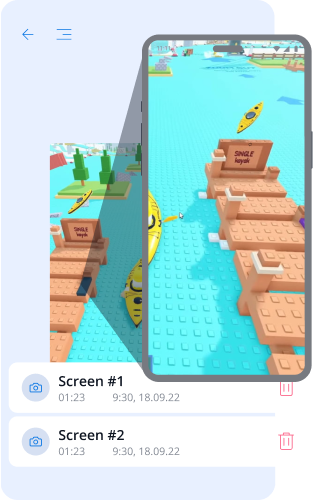
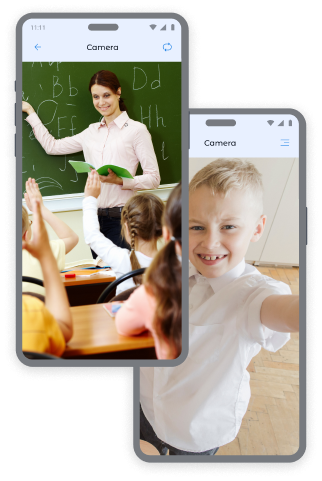
Фото с камер гаджета ребенка: контроль и безопасность
Получайте мгновенные снимки с фронтальной и задней камер гаджета, чтобы всегда знать, где находится ваш ребенок и в каком окружении он находится.
Фото с фронтальной камеры:
- Определение местоположения ребенка и его эмоционального состояния.
- Проверка безопасности ребенка в общественных местах.
- Получение контекста в необычных ситуациях.
Фото с задней камеры:
- Обзор окружающей среды ребенка.
- Проверка безопасности пребывания дома, в школе или с друзьями.
- Получение визуальной информации в случаях, когда ребенок не отвечает на звонки.
Хотите больше снимков? Вы можете приобрести дополнительные пакеты на странице цен, чтобы быть еще спокойнее относительно вашей дочери или сына.
Как делать снимки экрана в приложении Kroha
Чтобы сделать снимок:
- Откройте раздел «Снимки экрана» в приложении Kroha.
- Выберите тип снимка: «Скриншот», «Фронтальная камера» или «Задняя камера».
- Нажмите кнопку «Сделать снимок».
- Просмотрите полученные изображения в разделе «Снимки экрана».
Этот инструмент родительского контроля помогает всегда быть уверенными в безопасности ваших детей.


Частые вопросы о снимках экрана
Чем функция «Снимки экрана» полезна для родителей?
Функция «Снимки экрана» помогает родителям лучше понимать, чем занимается ребенок на своем устройстве. Родители могут получать скриншоты, а также фото с фронтальной или задней камеры, чтобы проверить просматриваемый контент, окружающую обстановку или быстро оценить ситуацию, если происходит что‑то необычное.
Какие типы снимков экрана могут получать родители?
Родители могут получить скриншот экрана устройства ребенка, фото с фронтальной камеры или фото с тыльной камеры. Все эти варианты доступны в разделе «Снимки экрана» приложения Kroha.
Как сделать скриншот или фото с телефона ребенка?
Чтобы сделать снимок экрана или фото с телефона ребенка удаленно, откройте раздел «Снимки экрана» в приложении Kroha и выберите нужный тип: «Снимок экрана», «Фронтальная камера» или «Задняя камера». После создания изображение появится в разделе «Снимки экрана».
Должен ли я платить дополнительно за снимки экрана?
Функция «Снимки экрана» доступна с подпиской Kroha. Если родителям нужно больше снимков, они могут приобрести дополнительные пакеты на странице тарифов.
Функция «Снимки экрана» работает на iPhone или iPad ребенка?
Нет. Функция «Снимки экрана» доступна только на устройствах Android. Она недоступна на iPhone или iPad ребенка из‑за ограничений системы iOS.
Знакомьтесь с другими функциями приложения для родительского контроля


Установите приложение





