





Ekran Görüntüsü: İzleme ve Güven
Çocuğun Cihazının Kameralarından Fotoğraf: Kontrol ve Güvenlik
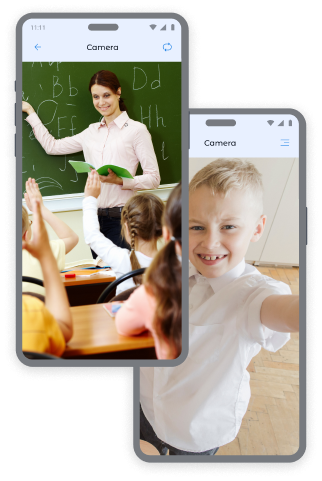
Çocuğunuzun cihazının ön ve arka kameralarından anlık fotoğraflar alarak, çocuğunuzun nerede olduğunu ve hangi ortamda bulunduğunu her zaman bilirsiniz.
Ön Kamera ile Fotoğraflar:
- Çocuğun konumunu ve duygusal durumunu belirleme.
- Çocuğun kamu alanlarında güvenliğini kontrol etme.
- Olağandışı durumlarda bağlam elde etme.
Arka Kamera ile Fotoğraflar:
- Çocuğun çevresel ortamını gözden geçirme.
- Evde, okulda veya arkadaşlarıyla güvenli bir şekilde bulunup bulunmadığını kontrol etme.
- Çocuk aramalara cevap vermediğinde görsel bilgi elde etme.
Daha fazla ekran görüntüsü mü istiyorsunuz? Çocuğunuz hakkında daha fazla huzur için fiyat sayfasında ek paketler satın alabilirsiniz.
Kroha Uygulamasında Ekran Görüntüsü Alma
Görüntü almak için:
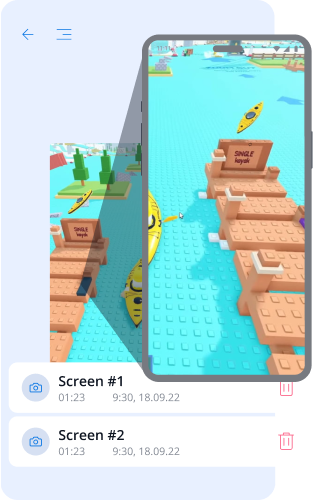
- Kroha uygulamasında "Ekran Kaydedici" bölümünü açın.
- Görüntü türünü seçin: "Ekran Görüntüsü", "Ön Kamera" veya "Arka Kamera".
- "Görüntü Almak" butonuna basın.
- Alınan görüntüleri "Ekran Kaydedici" bölümünde "Fotoğrafları Görüntüle" kısmında inceleyin.
Bu ebeveyn kontrol aracı, çocuklarınızın güvenliğinden her zaman emin olmanıza yardımcı olur.


Ekran ve Kamera İzleme Hakkında Sık Sorulan Sorular
Ekran Görüntüleri özelliği ebeveynlere nasıl yardımcı olur?
Ekran Kaydedici özelliği, ebeveynlerin çocuklarının cihazda neler yaptığını daha iyi anlamalarına yardımcı olur. Bu bölümde ebeveynler ekran görüntüleri alabilir ve ön veya arka kamerayı kullanarak fotoğraf çekebilir. Böylece ekranda görüntülenen içerikleri, çocuğun çevresini veya olağan dışı durumları kontrol edebilirler.
Ebeveynler hangi tür görüntülere erişebilir?
Ebeveynler, çocuğun cihazından ekran görüntüleri alabilir ve ön ya da arka kamera ile çekilen fotoğrafları görüntüleyebilir. Bu seçenekler Kroha uygulamasının Ekran Görüntüleri bölümünde mevcuttur.
Çocuğumun cihazından ekran görüntüsü veya fotoğrafı nasıl alabilirim?
Ekran görüntüsü veya fotoğraf çekmek için Kroha uygulamasında Ekran Kaydedici bölümünü açın ve Ekran Görüntüsü, Ön Kamera veya Arka Kamera seçeneklerinden birini seçin. Çekim tamamlandığında görüntü Ekran Kaydedici bölümünde görüntülenir.
Ek Ekran Görüntüleri için ekstra ücret ödemem gerekir mi?
Ekran Kaydedici özelliği, Kroha aboneliğine dahildir. Ebeveynler daha fazla ekran görüntüsü veya fotoğraf almak isterse, fiyatlandırma sayfasından ek paketler satın alabilir.
Ekran Görüntüleri özelliği, çocuğun iPhone veya iPad cihazında çalışır mı?
Hayır. Ekran Görüntüleri özelliği yalnızca Android cihazlarda kullanılabilir. iOS sisteminin kısıtlamaları nedeniyle bu özellik iPhone veya iPad'de kullanılamaz.
Ebeveyn kontrolü uygulamasının diğer özelliklerini tanıyın







