





צילום מסך: מעקב ואמון
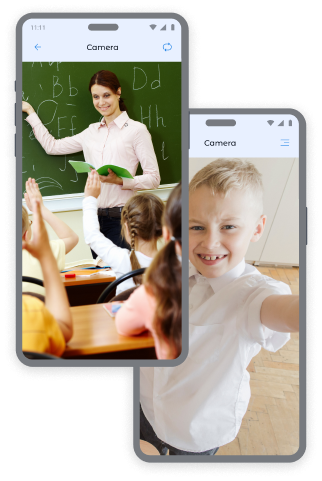
תמונות מהמצלמות במכשיר של הילד: שליטה ובטיחות
קבל תצלומים מיידיים מהמצלמות הקדמית והאחורית של המכשיר כדי שתדע תמיד היכן נמצא ילדך ובאיזו סביבה.
תמונות מהמצלמה הקדמית:
- קביעת מיקום הילד ומצבו הרגשי
- בדיקת בטיחות הילד במקומות ציבוריים
- השגת הקשר במצבים יוצאי דופן
תמונות מצלמת האחורית:
- סקירת הסביבה שמסביב לילד
- בדיקת בטיחות בבית, בבית הספר או עם חברים
- קבלת מידע חזותי במקרים בהם הילד אינו עונה לשיחות
רוצה עוד תמונות? באפשרותך לרכוש חבילות נוספות בדף המחירים לקבלת שקט נפשי גדול יותר לגבי הילד שלך.
איך לעשות צילום מסך באפליקציית Kroha
לצלם תמונת מסך:
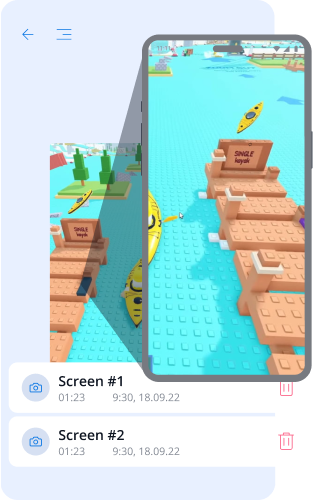
- פתח את הסעיף לכידת מסך באפליקציית Kroha.
- בחר את סוג הצילום: צילום מסך, מצלמה קדמית או מצלמה אחורית.
- לחץ על כפתור "צלם תמונה"
- הצג את התמונות שהתקבלו בקטע לכידת מסך
כלי בקרת הורים עוזר לך להיות תמיד בטוח בבטיחות ילדיך.


שאלות נפוצות על צילומי מסך
איך תכונת צילומי המסך מועילה להורים?
תכונת צילומי המסך עוזרת להורים להבין טוב יותר מה הילד עושה במכשיר. הורים יכולים לקבל צילומי מסך, וכן תמונות מהמצלמה הקדמית או האחורית, כדי לבדוק את התוכן שהילד רואה, את הסביבה סביבו או מצבים חריגים.
לאילו סוגי צילומי מסך הורים יכולים לגשת?
הורים יכולים לגשת לצילום מסך ממכשיר הילד, לתמונה מהמצלמה הקדמית או לתמונה מהמצלמה האחורית. האפשרויות האלה זמינות בסעיף “צילומי מסך” באפליקציית Kroha.
איך מקבלים צילום מסך או תמונה מהמכשיר של הילד?
כדי לקבל צילום מסך או תמונה, יש לפתוח את סעיף “צילומי מסך” באפליקציית Kroha ולבחור את סוג הצילום הרצוי: צילום מסך, מצלמה קדמית או מצלמה אחורית. לאחר שהצילום הושלם, התמונה תופיע בסעיף “צילומי מסך”.
האם צריך לשלם תוספת עבור צילומי מסך נוספים?
תכונת צילומי המסך כלולה במנוי ל-Kroha. אם ההורים צריכים צילומי מסך נוספים, הם יכולים לרכוש חבילות נוספות בדף המחירים.
האם תכונת צילומי המסך פועלת ב-iPhone או ב-iPad של הילד?
לא. תכונת צילומי המסך זמינה רק במכשירי Android. היא אינה זמינה ב-iPhone או ב-iPad של הילד בשל מגבלות מערכת iOS.
הכירו תכונות נוספות של אפליקציית בקרת הורים







