





화면 캡처: 모니터링 및 자신감
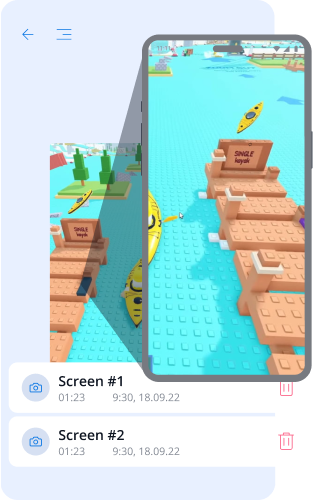
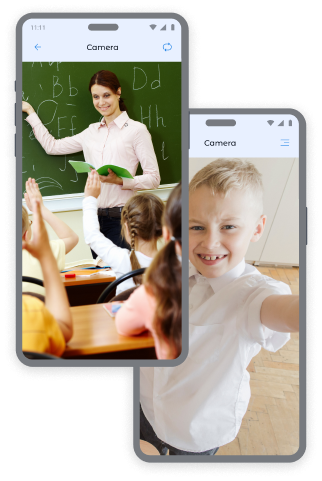
자녀 장치의 카메라 사진: 제어 및 보안
전면 카메라와 후면 카메라에서 즉시 사진을 받아 자녀가 어디에 있는지, 어떤 환경에 있는지 항상 알 수 있습니다.
전면 카메라 사진:
- 자녀의 위치 및 감정 상태 파악
- 공공 장소에서 자녀의 안전 확인
- 비정상적인 상황에서의 맥락 이해
후면 카메라 사진:
- 자녀의 주변 환경 검토
- 집, 학교 또는 친구들과의 안전한 장소 확인
- • 자녀가 전화에 응답하지 않을 때 시각적 정보 확보
추가 스크린샷이 필요하신가요? 자녀에 대한 안심을 더욱 강화하기 위해 가격 페이지에서 추가 패키지를 구매할 수 있습니다.
Kroha 앱에서 화면 캡처하는 방법
스크린샷을 찍으려면:
- Kroha 앱에서 "화면 기록" 섹션을 엽니다.
- 스크린샷 유형을 선택합니다: "스크린샷", "전면 카메라" 또는 "후면 카메라".
- "사진 촬영" 버튼을 누릅니다.
- "화면 기록" 섹션에서 받은 이미지를 "사진 보기"로 확인합니다.
이 자녀 보호 도구는 자녀의 안전을 항상 확인할 수 있도록 도와줍니다.


스크린 캡처 자주 묻는 질문
스크린 캡처 기능은 부모에게 어떻게 도움이 되나요?
스크린 캡처 기능은 부모가 자녀의 기기 사용 상황을 보다 잘 이해할 수 있도록 도와줍니다. 부모는 스크린샷과 전면 또는 후면 카메라로 촬영한 사진을 통해 자녀가 보고 있는 콘텐츠, 주변 환경 또는 이상 상황을 확인할 수 있습니다.
부모는 어떤 종류의 스크린 캡처를 확인할 수 있나요?
부모는 자녀의 기기 화면 스크린샷과 전면 및 후면 카메라로 촬영한 사진을 확인할 수 있습니다. 이러한 기능은 Kroha 앱의 스크린 캡처 섹션에서 사용할 수 있습니다.
자녀의 기기에서 스크린샷이나 사진을 어떻게 받을 수 있나요?
스크린샷이나 사진을 촬영하려면 Kroha 앱의 스크린 캡처 섹션을 열고 스크린샷, 전면 카메라 또는 후면 카메라를 선택하세요. 캡처된 이미지는 스크린 캡처 섹션에 표시됩니다.
추가 스크린 캡처를 이용하려면 별도로 비용을 지불해야 하나요?
스크린 캡처 기능은 Kroha 구독에 포함되어 있습니다. 더 많은 스크린 캡처가 필요한 경우, 부모는 가격 페이지에서 추가 패키지를 구매할 수 있습니다.
스크린 캡처 기능은 자녀의 iPhone 또는 iPad에서도 사용할 수 있나요?
아니요. 스크린 캡처 기능은 자녀의 Android 기기에서만 사용할 수 있습니다. iOS의 시스템 제한으로 인해 자녀의 iPhone 또는 iPad에서는 이 기능을 사용할 수 없습니다.
보호자 관리 앱의 다른 기능을 알아보세요







