




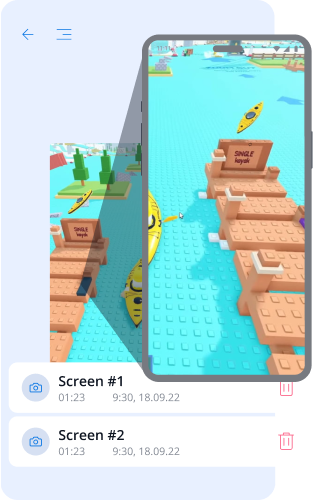
スクリーンショット:監視と信頼性
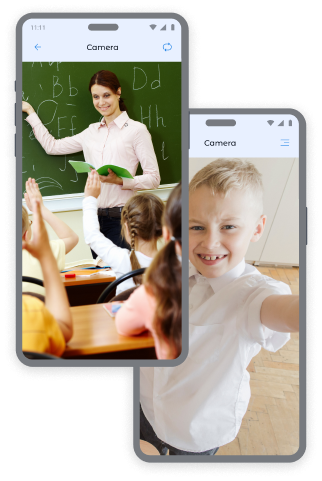
子供のデバイスのカメラ写真:制御と安全
子供のデバイスの前面カメラおよび背面カメラからの即時の写真を受け取ることで、常にお子様がどこにいるか、どのような環境にいるかを把握することができます。
前面カメラからの写真:
- 子供の居場所および感情状態の特定。
- 子供の居場所および感情状態の特定。
- 異常な状況でのコンテキストの把握。
背面カメラからの写真:
- 子供の周囲の環境の確認。
- 家、学校、友達との場所での安全性の確認。
- 子供が電話に出ない場合の視覚情報の取得。
もっと多くのスクリーンキャプチャが欲しいですか? 価格ページで追加パッケージを購入することで、お子様に対する安心感をさらに高めることができます。
Krohaアプリでスクリーンキャプチャを撮る方法
スクリーンショットを撮るには:
- Krohaアプリで「スクリーン記録」セクションを開きます。
- キャプチャタイプを選択します:「スクリーンショット」、「前面カメラ」または「背面カメラ」。
- 「キャプチャを撮る」ボタンを押します。
- 「スクリーン記録」セクションで取得した画像を閲覧します。
このペアレンタルコントロールツールは、お子様の安全を常に確保するのに役立ちます。


画面キャプチャ・写真機能に関するよくある質問
スクリーンショット機能は保護者にどのように役立ちますか?
スクリーンショット機能は、保護者がお子様がデバイスをどのように利用しているかを把握するのに役立ちます。保護者はスクリーンショットや、フロントカメラまたはリアカメラで撮影した写真を確認でき、閲覧しているコンテンツや周囲の環境、気になる状況を確認できます。
保護者はどのような種類のスクリーンキャプチャを確認できますか?
保護者は、お子様のデバイス画面のスクリーンショット、フロントカメラで撮影した写真、またはリアカメラで撮影した写真を確認できます。これらのオプションは、Krohaアプリの「スクリーンショット」セクションで利用できます。
お子様のデバイスからスクリーンショットや写真を取得するにはどうすればよいですか?
スクリーンキャプチャセクションでスクリーンショット、フロントカメラ、またはリアカメラを選択すると、画像を取得できます。撮影または取得された画像は、Krohaアプリのスクリーンキャプチャセクションに表示されます。
追加のスクリーンショットを利用するには別途料金が必要ですか?
スクリーンキャプチャ機能は、Krohaのサブスクリプションに含まれています。さらに多くのスクリーンショットや写真が必要な場合は、料金ページから追加パッケージを購入できます。
スクリーンショット機能はお子様のiPhoneまたはiPadで利用できますか?
いいえ。スクリーンショット機能はお子様のAndroidデバイスでのみ利用できます。iOSの制限により、お子様のiPhoneやiPadでは利用できません。
ペアレンタルコントロールアプリのその他の機能について知ろう







