


orbitals

儿童手机截图与远程画面查看

仅限安卓
在“屏幕录制”部分,家长可以获取屏幕截图,以及孩子设备的前置或后置摄像头的照片。此功能旨在提供额外的家长控制级别,并确保孩子的安全性。
App statistics

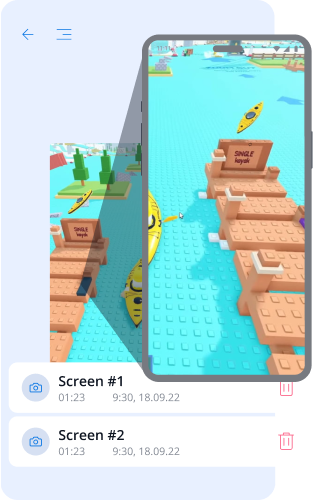
屏幕截图:监控与信心

能够对孩子设备进行屏幕截图,让家长能够实时有效地监控孩子的活动。如果孩子在玩游戏、浏览网站或使用即时通讯工具,定期的屏幕截图将帮助您确保所浏览的内容是安全的,并符合年龄限制。这样,您将始终能够评估设备是否主要用于学习还是娱乐,并及时调整使用规则。
picture
picture

孩子设备摄像头的照片:控制与安全

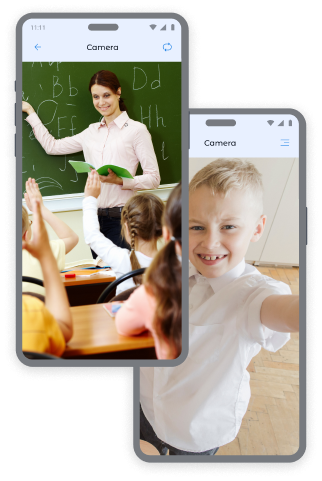
通过获取设备前置和后置摄像头的即时照片,您可以随时了解孩子的位置及其所处的环境。

前置摄像头照片:

  • 确定孩子的位置和情绪状态。
  • 检查孩子在公共场所的安全。
  • •在非正常情况下获取上下文信息。

后置摄像头照片:

  • 查看孩子周围的环境。
  • 检查孩子在家、学校或与朋友在一起时的安全。
  • 在孩子未接听电话时获取视觉信息。

想要更多截图? 您可以在价格页面购买额外的套餐,以便更加安心地关注您的孩子。

如何在Kroha应用中进行屏幕截图

要进行截图:

  • 打开Kroha应用中的“屏幕录制”部分。
  • 选择截图类型:“屏幕截图”、“前置摄像头”或“后置摄像头”。
  • 点击“拍摄”按钮。
  • 在“屏幕截图”部分查看照片。

这款家长控制工具可帮助您随时确保孩子的安全。

点击拍照
icon
屏幕截图
icon
后置摄像头
icon
前置摄像头

Screen Captures - FAQs

How is the Screen Captures feature useful for parents?

The Screen Captures feature helps parents better understand what their child is doing on the device. Parents can receive screenshots or photos from the front or back camera to check viewed content, the surrounding environment, or unusual situations.

What types of screen captures can parents access?

Parents can access a screenshot of the child’s device screen, a photo from the front camera, or a photo from the back camera. These options are available in the Screen Captures section of the Kroha app.

How do I get a screenshot or photo from my child’s device?

To take a screenshot or photo, open the Screen Captures section in the Kroha app and select the type of capture: Screenshot, Front Camera, or Back Camera. After the snapshot is taken, the image appears in the Screen Captures section.

Do I have to pay extra for additional screen captures?

The Screen Captures feature is available with a Kroha subscription. If parents need more snapshots, they can purchase additional packages on the pricing page.

Does the Screen Captures feature work on a child’s iPhone or iPad?

No. The Screen Captures feature is available only on Android devices. It is not available on a child’s iPhone or iPad due to iOS system limitations.

安装应用程序

减少您的孩子在网上面临的风险
从网站下载





