




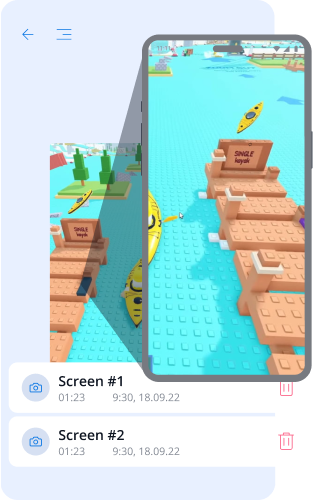
Screenshot: Monitoring and Confidence
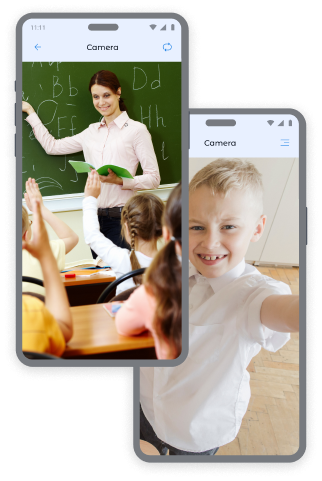
Photos from the Child's Device Cameras: Control and Safety
Receive instant snapshots from the front and back cameras of the device to always know where your child is and the environment they are in.
Front Camera Photos:
- Determining the child's location and emotional state.
- Checking the child's safety in public places.
- Obtaining context in unusual situations.
Back Camera Photos:
- Reviewing the child's surrounding environment.
- Checking safety at home, school, or with friends.
- Obtaining visual information in cases when the child does not answer calls.
Want more snapshots? You can purchase additional packages on the pricing page to have even greater peace of mind regarding your child.
How to Take Screen Captures in the Kroha App
To take a snapshot:
- Open the "Screen Captures" section in the Kroha app.
- Select the type of capture: "Screenshot", "Front Camera", or "Back Camera".
- Press the "Take Snapshot" button.
- View the received images in the "Screen Captures" section.
This parental control tool helps you always be confident in your children's safety.


Screen Captures FAQs
How is the Screen Captures feature useful for parents?
The Screen Captures feature helps parents better understand what their child is doing on the device. Parents can receive screenshots or photos from the front or back camera to check viewed content, the surrounding environment, or unusual situations.
What types of screen captures can parents access?
Parents can access a screenshot of the child’s device screen, a photo from the front camera, or a photo from the back camera. These options are available in the Screen Captures section of the Kroha app.
How do I get a screenshot or photo from my child’s device?
To take a screenshot or photo, open the Screen Captures section in the Kroha app and select the type of capture: Screenshot, Front Camera, or Back Camera. After the snapshot is taken, the image appears in the Screen Captures section.
Do I have to pay extra for additional screen captures?
The Screen Captures feature is available with a Kroha subscription. If parents need more snapshots, they can purchase additional packages on the pricing page.
Does the Screen Captures feature work on a child’s iPhone or iPad?
No. The Screen Captures feature is available only on Android devices. It is not available on a child’s iPhone or iPad due to iOS system limitations.
Get to know other features of the parental control app







